How to Turn One Product Photo Into a Complete AI Ad Campaign
A product photo is rarely the real bottleneck in an AI ad campaign. The bottleneck is turning that photo into enough useful creative for every place your customers might discover, compare, and buy the product.
An online store may need a clean square image for a product page, a vertical creative for social media, a lifestyle scene for an awareness campaign, and a short demonstration video for retargeting. Producing each asset separately can mean repeated briefs, multiple tools, inconsistent branding, and days of coordination.
This guide explains a more practical approach: treat your original product photos as the foundation of a reusable AI ad campaign. The goal is not to generate random pictures. It is to create a coordinated set of assets in which every variation has a clear job.
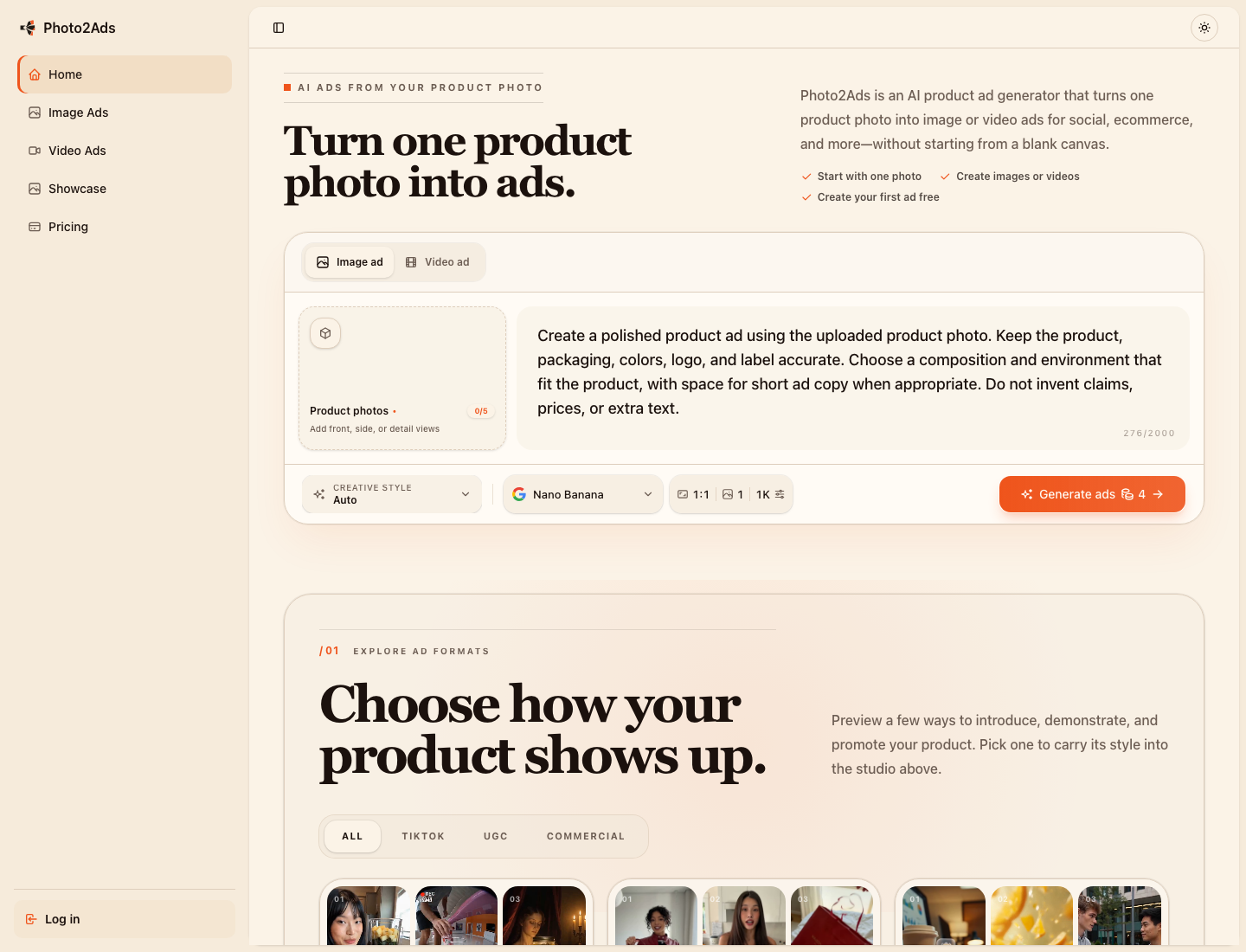
A single workbench for turning product references into image and video ad concepts.
Why one polished ad is not enough
Customers do not experience a campaign as one perfect image. They encounter a sequence: perhaps a vertical video first, a product-detail image later, and a testimonial-style creative before purchase. Each moment asks a different question.
- Awareness: What is this product, and why should I care?
- Consideration: What does it look like in use?
- Trust: Is the product credible, clear, and consistent?
- Conversion: What is the offer, benefit, or next step?
A campaign therefore needs variations, but not meaningless variations. Changing only a background color four times does not create four strategic ads. A useful variation changes the message, setting, format, or stage of the buying journey while keeping the product recognizable.
Step 1: Build a source-photo set that AI can actually use
You can begin with one clean product photo, but the quality of your reference material determines how much control you have later. Before opening an AI product ad generator, collect the best available source images.
- A front or three-quarter view with the entire product visible.
- A side or alternate angle if the shape matters.
- A close-up of important materials, controls, texture, or packaging.
- A transparent-background image when one is available.
- A person reference only when the campaign needs a consistent presenter or model.
Avoid tiny marketplace thumbnails, severe compression, heavy reflections, fingers covering the product, or a background whose color blends into the product. Do not “improve” the source image so aggressively that the label, proportions, or packaging no longer match the item customers will receive.
Simple rule: if a human designer would struggle to understand the product from the reference, the generation model will struggle too.
Step 2: Give every creative one specific job
Before generating anything, make a small campaign map. This prevents the common mistake of asking for “a beautiful ad” without deciding what that ad must accomplish.
- Storefront image: clean composition, immediate product recognition, minimal distraction.
- Social discovery image: stronger visual hook, lifestyle context, room for a short headline.
- Vertical short video: movement or demonstration in the first seconds, designed for a phone screen.
- Testimonial-style ad: a person-led presentation that feels direct and conversational.
- Retargeting creative: product benefit, proof, objection handling, or a clear offer.
For a tennis-training product, for example, the campaign could include a clean catalog image, an athlete holding the product, a close-up demonstration, and a creator-style vertical video. Those assets share the same product but solve different communication problems.
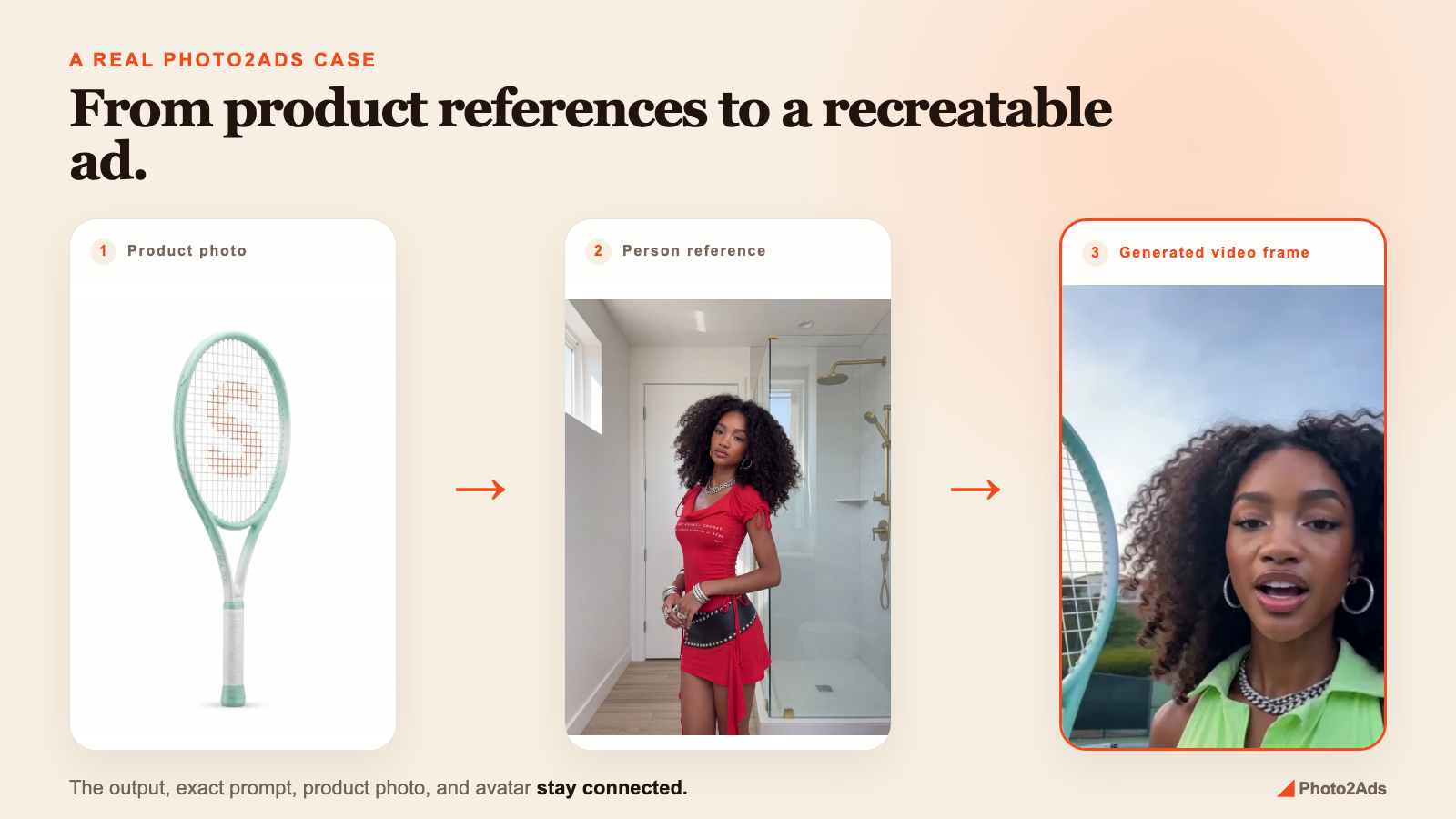
A real product-to-video workflow: product reference, person reference, and generated ad frame.
Step 3: Replace the blank prompt with a creative direction
A blank prompt box looks flexible, but it pushes too many decisions onto the user at once. A stronger brief separates those decisions into reusable fields. For each creative, define:
- Style: studio, lifestyle, cinematic, testimonial, demonstration, unboxing, or another recognizable format.
- Hook: the first visual or message that earns attention.
- Setting: where the scene happens and what contextual objects belong there.
- Presenter: whether the product appears alone, in a hand, or with a consistent person reference.
- Format: square, portrait, landscape, or vertical video.
- Output constraints: duration, resolution, audio, number of variations, and any text-free requirements.
Here is a usable brief for the tennis example:
Create a vertical creator-style product demonstration for recreational tennis players. Open with a close view of the racket accessory, then show the presenter using it on court. Keep the product shape and color consistent with the reference. Use bright natural daylight, energetic movement, and a clean background. Leave enough negative space for captions and avoid generating packaging claims.
This is more reliable than a long collection of decorative adjectives because it explains the audience, the job of the ad, the order of information, and the details that must remain stable.
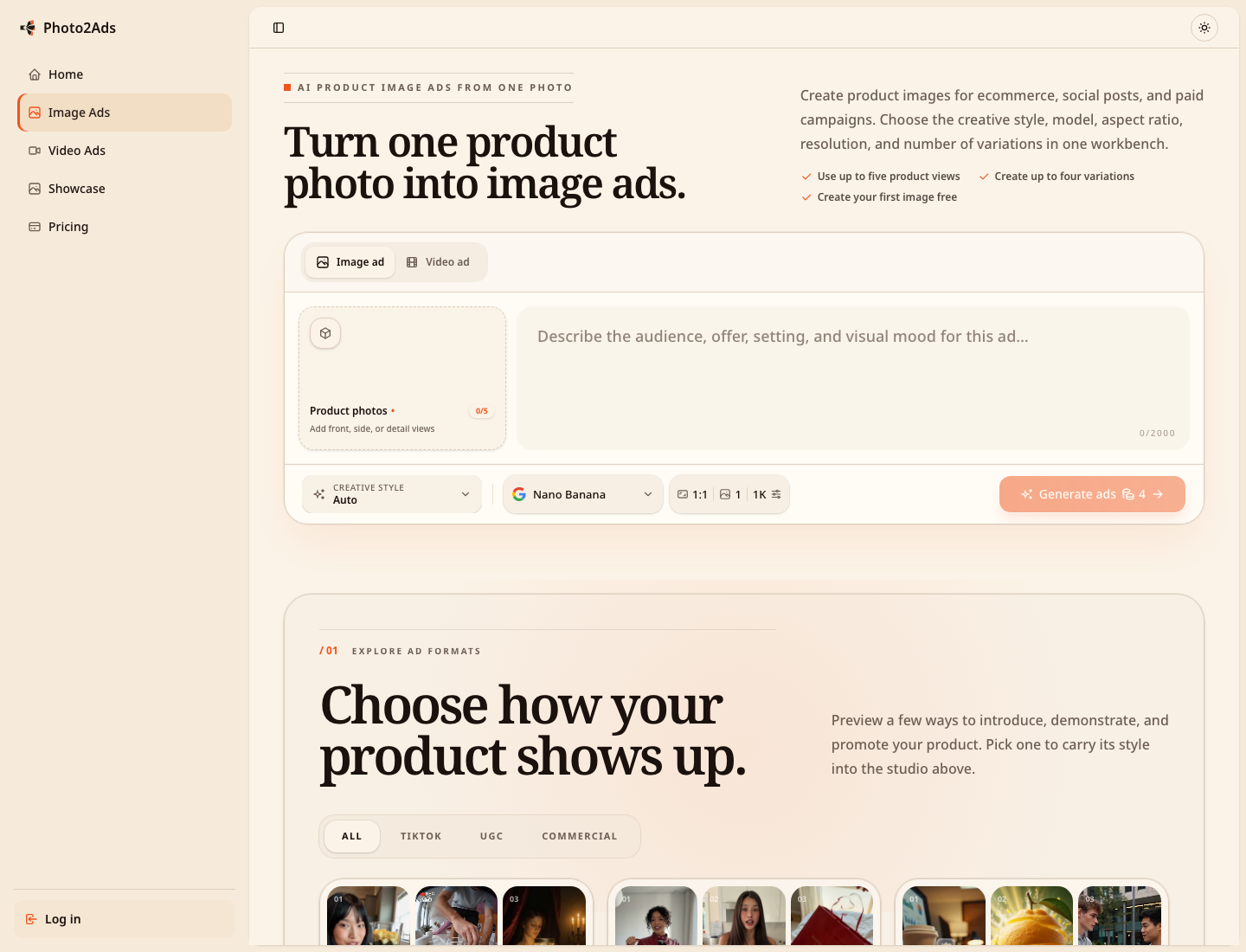
Structured choices make it easier to create deliberate variations instead of starting from a blank prompt.
Step 4: Generate for the channel instead of resizing blindly
A square image stretched into a vertical placement is not a vertical ad strategy. Composition, subject scale, pacing, and text-safe areas all change with the channel.
- 1:1 square: useful for feeds, product grids, and flexible campaign placements. Keep the product readable at thumbnail size.
- 4:5 portrait: gives a feed ad more screen space while leaving room for a headline or offer.
- 9:16 vertical: design for full-screen viewing. Introduce the product early and keep important action away from interface overlays.
- 16:9 landscape: useful for presentations, landing-page sections, and some video placements, but it needs stronger horizontal staging.
Generate a small set of purposeful variations for each important format. In Photo2Ads, image projects can combine product references with a selected style, model, aspect ratio, resolution, and multiple outputs. Video projects can add a hook, setting, presenter, duration, quality, and audio direction.
The benefit is not merely speed. Keeping the inputs attached to the project makes it easier to understand why one result worked and to create the next variation without reconstructing the entire brief.
Step 5: Review the advertisement, not just the image
A visually impressive AI result can still be a bad advertisement. Review each output at full size and again at the size customers will actually see.
- Does the product shape match the reference?
- Are the logo, label, controls, and packaging accurate?
- Are colors and materials consistent with the real item?
- Are hands, faces, shadows, reflections, and contact points believable?
- Does the first frame or thumbnail explain the idea quickly?
- Is there safe space for captions, pricing, or a call to action?
- Does the creative make any claim that requires legal or factual review?
- Would a customer feel misled after receiving the real product?
Human review is especially important when the output contains brand marks, printed text, product claims, packaging details, faces, or hands. AI can accelerate production, but it should not be the final approver of factual accuracy.
Use examples as a creative vocabulary
When you are unsure which style fits the product, do not begin by writing a longer prompt. Begin by comparing real input-and-result pairs. Ask what changed between the source material and the final advertisement: camera distance, environment, presenter, motion, hook, and product emphasis.
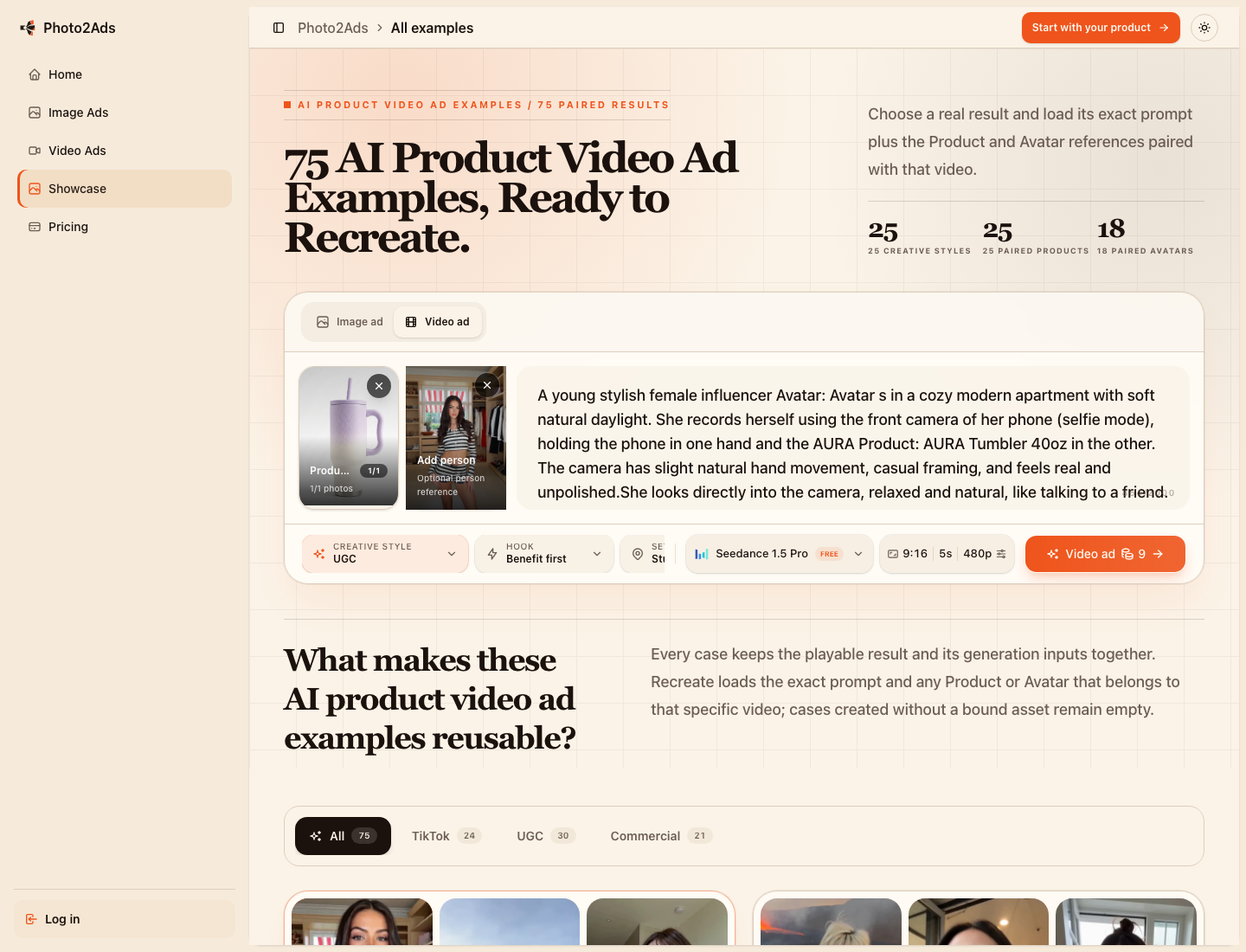
The Photo2Ads showcase includes 75 video results across 25 creative styles, with real references and outputs to compare.
A showcase is most useful when it is treated as a decision tool rather than a gallery. Save the examples that match your audience and product category, then describe the underlying pattern in plain language. “Close product demonstration with a creator speaking to camera” is a repeatable direction. “Make it viral” is not.
A compact AI ad campaign plan you can reuse
For a first campaign, keep the plan intentionally small:
- Choose one product and one customer problem.
- Prepare one to five reliable product references.
- Create one clean product-led image for clarity.
- Create one lifestyle or person-led image for context.
- Create one vertical demonstration video for attention.
- Review product accuracy and advertising claims.
- Publish, measure the response, and make the next variation from what you learned.
This approach turns AI generation into a campaign system. You preserve the source material, make creative decisions explicit, adapt the composition to each channel, and keep a human quality gate before publication.
If you already have a product photo, you have enough to begin. Open Photo2Ads and build your first coordinated image-and-video ad set.
Comments
Post a Comment